SnapCane: making navigation tangible
What a self-steering cane taught me about fabrication, power, and designing around a person.
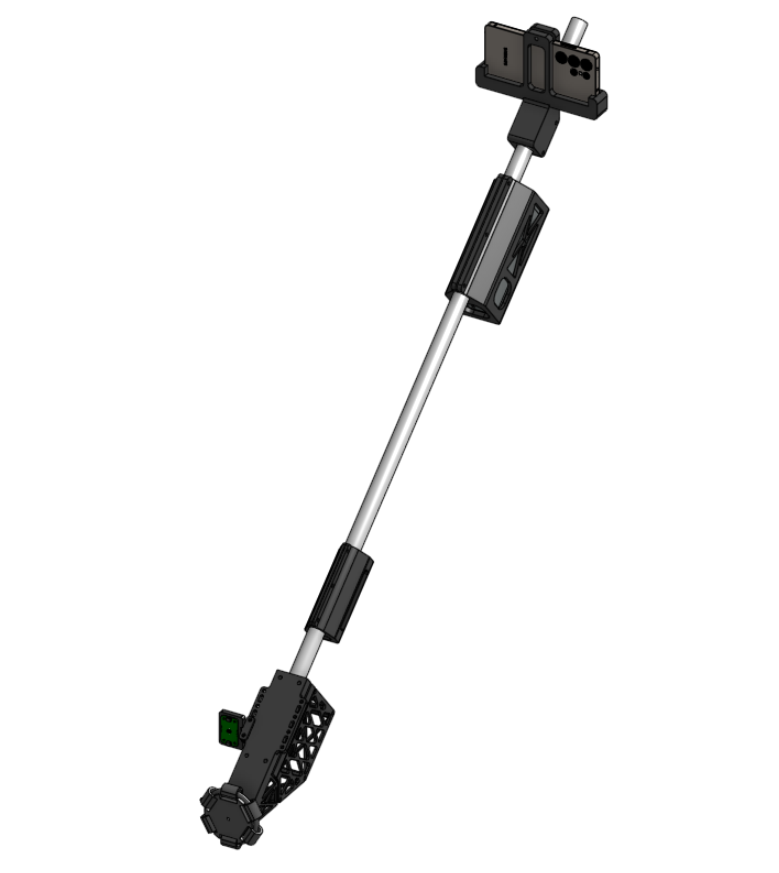
SnapCane, also called Lighthouse, is a self-steering cane our team built for the Qualcomm Multiverse Hackathon. A motorized wheel at the tip turns a navigation decision into a physical nudge through the cane. The project brought together a phone, a cane-side computer, printed parts, and an actuator that actually had to touch the ground. Project repository.

What the hardware taught me
A printable mechanism still needs a tolerance budget
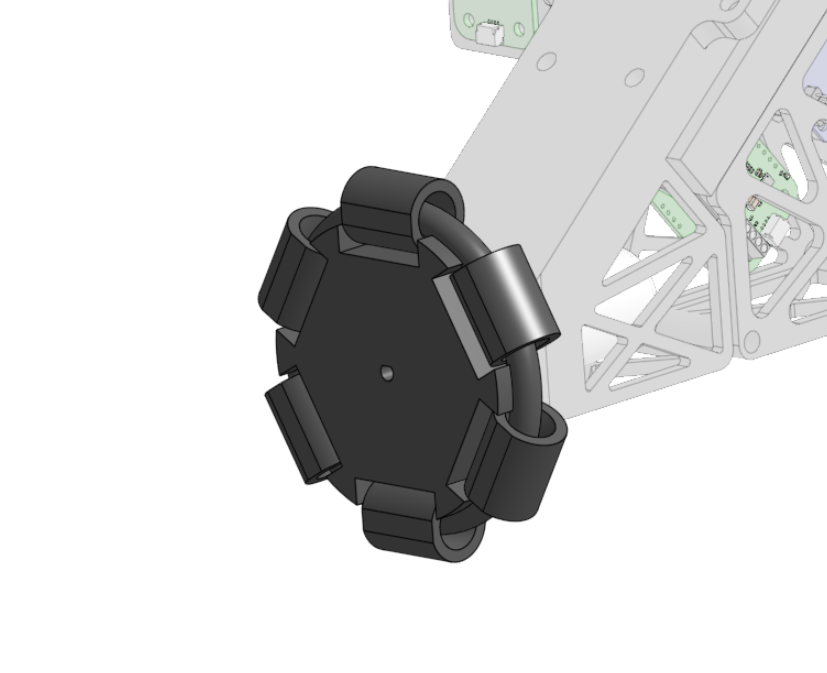
The tip uses a six-roller, print-in-place omni wheel, adapted from an existing GrabCAD design for the motor shaft. Capturing the rollers inside the print reduces assembly work, but makes printer clearance part of the mechanism: a roller that fuses to its housing cannot do its job. The build documentation explicitly calls out fit checks and clearance adjustments. Hardware and original-design attribution.
My takeaway is to treat fabrication as part of design. A CAD assembly can describe the intended motion; the printed part tells you whether that motion is available.

Receiving a command is different from delivering power
The electronics have a particularly instructive failure mode. The Qwiic connection supplies logic power, but the geared motor needs a separate 12 V supply. Without motor power, commands can appear to succeed while the wheel does nothing. The assembly process therefore starts with the electronics on a desk, before enclosing them in the printed assembly. Assembly guide.
That is a debugging habit I want to carry forward: follow the complete path from command to physical response. Check the supply, driver, connections, and load before assuming the problem is in the application.
Mounting is part of sensing
The phone cradle has a pivoting hinge, and the assembly guide includes camera-angle and ground-calibration checks. A mount affects what the camera sees, so its orientation belongs in the perception problem. Assembly guide.
The next hardware questions are equally physical: how the weight feels over a long walk, how the battery behaves under sustained motor load, and how quickly a detected obstacle produces wheel torque. Those remain evaluation work, rather than results I can claim. Documented next steps.
The software that powers it
The documented perception architecture splits work between a Snapdragon phone and an Arduino UNO Q. The phone combines depth and walkability estimates into steering decisions; the board handles local sensing and actuation. Steering commitment reduces rapid left-right changes, while board-side hazard detection can override phone commands. Obstacle avoidance is designed to operate locally. The repository distinguishes the full perception system on v3 from the merged demo on main. Architecture and branch descriptions.
For me, the interesting connection is where these layers meet: a useful perception result has to become a stable, understandable physical action.
SnapCane is a research prototype, not a validated replacement for a mobility aid. The repository calls for testing with a sighted companion and identifies user evaluation as future work. Prototype limitations.